Learn Git Branching
Learn Git Branching teaches version control by turning it into a series of tree puzzles. On one side you get a command prompt; the larger part of the screen draws your commits and branches as circles and labels. Every level shows a goal tree, and you type git commands until yours looks the same.
It covers the basics like committing and branching, then moves on to rebasing and working with remote repositories. It needs a keyboard and works in a browser tab without installing git.
How to play Learn Git Branching
Each level opens with a short lesson, often with a demo of the new command. Close it and start typing. Commands such as git commit, git branch feature or git checkout main update the diagram instantly, so you can watch circles appear and labels move.
The target tree shows in its own small window on top of your graph. Check it against yours, then hide it while you work. Match the shape and the level is solved. Use no more commands than the reference answer and you earn a gold star for it.
The Main tab holds 20 levels in five groups, from first steps to tougher material. A second tab, Remote, holds 16 more on clone, fetch, pull and push. Type levels at any time to open the menu.
Controls
| Action | Keyboard | Mouse | Touch |
|---|---|---|---|
| Run a command | Type, then Enter | — | — |
| Open the level list | Type levels, then arrows and Enter | Click a level number | — |
| Show or hide the target tree | Type show goal or hide goal | Click Show Goal | — |
| Get help on the level | Type hint or objective | Click Instructions | — |
| Step back or start the level over | Type undo or reset | — | — |
| Move through or close a lesson | Right arrow or Enter, Left arrow, Escape | Click the arrows or the check mark | — |
Tips
- Find the branch label with an asterisk. That is where HEAD points, and every new commit will be added on top of it.
- Save typing with relative references like main^ or HEAD~2 instead of reading commit IDs off the screen.
- Look closely at the goal before you start. Copied commits with a prime mark usually call for rebase or cherry-pick. A merge shows up as one commit with lines to two earlier ones.
- Type undo as often as you like to test ideas, and reset if the tree gets messy.
- Spend a few minutes in the sandbox mode before the rebase levels. Free practice makes the later puzzles much less confusing.
If you like Learn Git Branching, try these
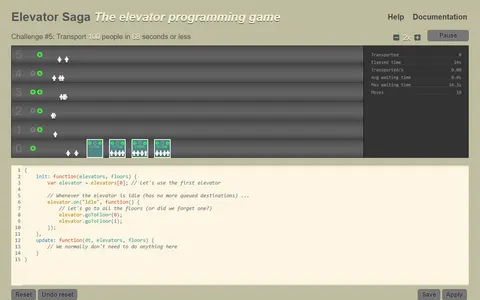 Elevator Saga
Real code solving visible problems is the link, as you program elevators in JavaScript to move riders fast enough.
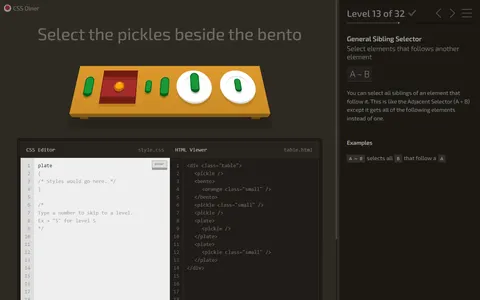 CSS Diner
Learning a real tool level by level carries over to typing CSS selectors that pick the right plates off a table.
Questions
Do I need git installed to use Learn Git Branching?
No. The git commands run inside a simulation in the page, so nothing touches your computer. That also means it is safe to try commands you are unsure about.
Does Learn Git Branching keep my progress?
Yes. Solved levels are stored in your browser and stay marked in the level menu between visits, as long as you use the same browser and do not clear its data.
Can I use it on a phone?
It is built for a physical keyboard, since every move is a typed command. A laptop or Chromebook works best.
More like this: all puzzle games · every game A–Z