Block Code Duck Pond
Block Code Duck Pond turns programming into a small pond battle. Your orange rubber duck has a cannon, a scanner and a pair of paddling feet, and you steer all three by writing code instead of pressing keys.
The levels come from Google's open-source Blockly Games and run in a standard browser tab, no install required. They are a gentle step from drag-and-drop blocks toward real typed code.
How to play Block Code Duck Pond
The pond sits on the left side of the screen with your duck and one or more opponents. Health bars below it show how much damage each duck can take. On the right is your workspace, where you build the program that your duck will follow once you press Run Program.
There are ten levels made of five challenges, and each challenge shows up twice. The first time you snap blocks together, choosing commands such as cannon, scan and swim from the toolbox. The second time you type the same idea into a JavaScript editor with line numbers.
Angles work like a compass on a math graph. A value of 0 aims east, toward the right edge. Raise it to 90 for north, 180 for west and 270 for south. The cannon reaches 70 meters across a pond that is 100 meters on each side.
Controls
| Action | Keyboard | Mouse | Touch |
|---|---|---|---|
| Build a program | — | Drag blocks from the toolbox | Drag blocks with a finger |
| Type code | Type in the code editor | Click to place the cursor | — |
| Change a number | Type the value, then Enter | Click the value on a block | Tap the value |
| Start or stop the battle | — | Click Run Program or Reset | Tap Run Program or Reset |
| Read the command list | — | Click Documentation | Tap Documentation |
Tips
- Open Documentation before the first JavaScript level. It lists every command with its inputs, so you do not have to guess the spelling.
- When a target is beyond 70 meters, swim toward it first and fire once you are close enough.
- Scan returns the distance to the nearest duck in a direction, so you can feed that number straight into the cannon's range.
- Moving targets need a loop. Wrap your scan and fire in a repeat so the duck keeps looking and shooting instead of stopping after one shot.
- Compare your block answer with the JavaScript level that follows. The structure is the same, which makes the typed version far less scary.
If you like Block Code Duck Pond, try these
 Elevator Saga
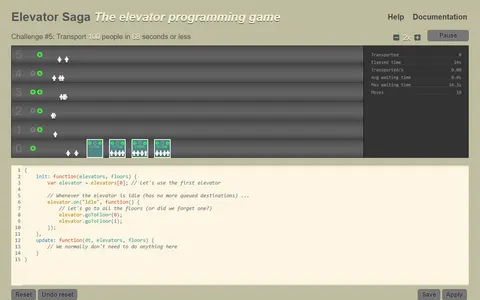
Ready for pure JavaScript? You program a building's elevators and tune the code until riders move fast enough.
 Robot Coder
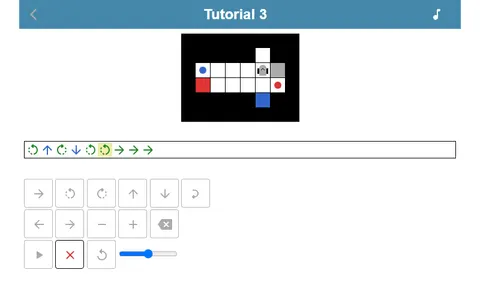
Also about programming a little character, though you write the whole route with loops first and only then press play.
Questions
Do I need to know JavaScript to play Block Code Duck Pond?
No. Every challenge is solved with blocks first, and the typed level right after asks for the same logic. It is a good way to learn the syntax by example.
Why does my duck stop after one shot?
A program runs from top to bottom and then ends. Put your commands inside a loop so the duck keeps scanning and firing for the whole battle.
Can I play Block Code Duck Pond on a tablet?
The block levels work with touch dragging. The JavaScript levels need a keyboard, so a laptop or a tablet with a keyboard case is the better choice.
More like this: all puzzle games · every game A–Z