Elevator Saga
Elevator Saga is a programming game where your code is the elevator operator. Little riders appear on each floor, press call buttons and wait, and the JavaScript you write decides where every car goes next.
Magnus Wolffelt and contributors built it as an open-source project. It runs in a desktop browser tab with nothing to install, and its challenges grow from a small three-floor building to tall towers with several cars.
How to play Elevator Saga
The code editor holds an object with two functions. The init function runs once at the start and is where you set up event listeners, such as what a car does when it goes idle or when a rider presses a floor button. The update function runs over and over and is optional for most early challenges.
Click Apply to load your code and start the challenge. Above the building, a goal tells you what to beat, for example moving a set number of people within a time limit or keeping the longest wait under a certain number of seconds.
Watch the simulation and the stats at the top. If you hit the goal, a Next challenge button appears. If not, adjust your logic and apply again. The speed buttons let you fast-forward long runs.
Controls
| Action | Keyboard | Mouse | Touch |
|---|---|---|---|
| Edit your program | Type in the code editor | Click to place the cursor | — |
| Run your code | — | Click Apply | — |
| Start, pause or restart | — | Click the Start or Pause button | — |
| Change speed | — | Click the minus or plus icon | — |
| Save or reset code | — | Click Save, Reset or Undo reset | — |
Tips
- Start by listening for the idle event on each elevator and sending it to the next floor in a list. A simple loop like that is enough to get the first building moving.
- Use the floor_button_pressed event inside each car to queue the floors that riders have chosen, so passengers actually get where they want to go.
- Respond to up and down button presses on floors. A car that only follows its own riders will leave people waiting forever on other floors.
- Check the load factor before stopping. A nearly full car is better off delivering riders than picking up more.
- Open the Help page for the full list of elevator and floor functions. The examples there are short and easy to copy into your code.
If you like Elevator Saga, try these
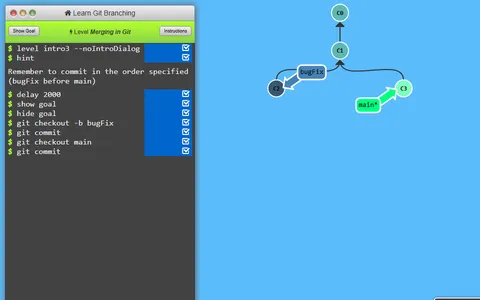 Learn Git Branching
Real programming skills again, using actual git commands to match a target commit tree each level.
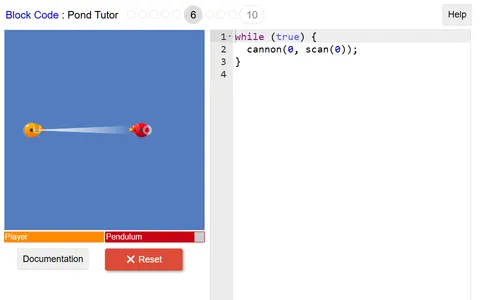 Block Code Duck Pond
Coding with JavaScript in a sillier setting: script a rubber duck to scan, shoot and swim at rivals.
Questions
Do I need to know JavaScript to play Elevator Saga?
Some basics help, such as functions, arrays and if statements. The first challenge only needs a small change to the starter code, and the Help page explains each command.
Does Elevator Saga save my code?
Yes. Your program is written to browser storage automatically about a second after each pause in typing. Pressing Save does it on the spot. Clearing site data removes it.
Can I play Elevator Saga on a Chromebook?
Yes. It works well on any laptop with a keyboard. Phones and small tablets are a poor fit because the page is a wide layout built around the code editor.
More like this: all puzzle games · every game A–Z