Block Code Music
Block Code Music is a coding puzzle where a correct program sounds right. Instead of guiding a character, your blocks play notes, and the whole set of ten levels is built around one well-known French round.
It belongs to Google's open-source Blockly Games, and you can compose tunes on the page without a download. The real lesson hiding inside the tune is functions: write a phrase once, then call it as often as you need.
How to play Block Code Music
The goal tune appears as gray notes on a music staff at the left. Your program goes inside a start block on the right. Drag in play note blocks, choose a pitch and a length for each, and press Run Program. As the music plays, your notes appear in black over the gray ones.
If every note lines up, the level is solved and you see the JavaScript your blocks made. Early levels only ask for the opening notes. Soon the tune repeats, and the game starts asking you to put repeated phrases into functions rather than copying blocks.
Later levels add rests, a choice of instruments and more than one start block. Each start block plays at the same moment, which is how you build the round with several voices entering one after another.
Controls
| Action | Keyboard | Mouse | Touch |
|---|---|---|---|
| Add a note or function | — | Open a category and drag a block | Tap a category and drag a block |
| Set the pitch | Type a note name like E4, then Enter | Click the note name and pick a line | Tap the note name |
| Set the length | — | Click the note symbol | Tap the note symbol |
| Play or stop | — | Click Run Program, then Reset | Tap Run Program, then Reset |
| Change tempo | — | Drag the speed slider | Slide the speed control |
Tips
- Read the gray staff from left to right and count matching shapes. Two identical groups of notes are a clue that one function can play both.
- Name your functions after what they hold, like first line or bell part, so a long program stays easy to follow.
- Use rest blocks to delay a voice. A second start block that waits a few beats before calling the same functions creates the round.
- Slow the tempo slider while you debug. It is much easier to hear which note is off at a gentle speed.
- Try different instruments on different voices once the notes are right. Hearing a violin against a piano makes each part stand out.
If you like Block Code Music, try these
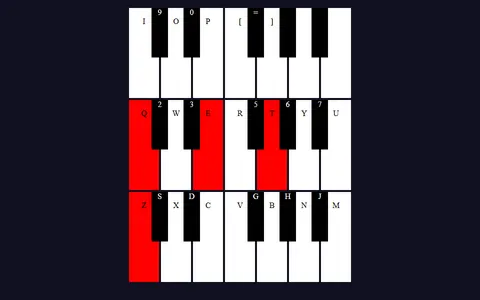 Tiny Synth Piano
Play the notes by hand instead, on a letter-key synth with 36 keys and a choice of wave shapes.
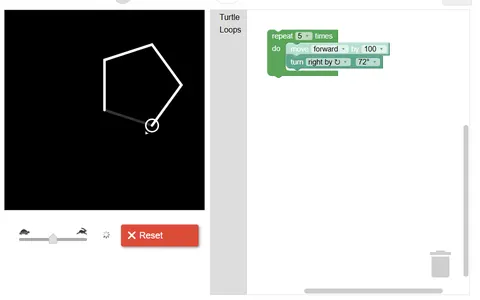 Block Code Turtle Art
From the same block-coding series, it swaps melodies for drawing, steering a turtle through squares and stars.
Questions
What song does Block Code Music teach?
Every target level uses the French round about Brother John, often sung as Are You Sleeping. You start with its first four notes and end with all parts layered together.
Why does Block Code Music say my answer could be better?
Once functions are introduced, the game checks for repeated note blocks. If you played the right notes by copying them, it suggests moving the repeat into a function and calling it twice.
Which instruments can I use?
You can switch between eight sounds: choir, flute, guitar, drum, banjo, trumpet, violin and piano. Each one plays from recorded samples, so nothing sounds until you press Run Program.
More like this: all puzzle games · every game A–Z