Five-Square Tiling Puzzle
Five-Square Tiling Puzzle hands you a rectangle and a tray of flat shapes, each built from five squares joined along their edges. There are twelve possible shapes, and each one carries the name of a letter it looks a bit like, such as L, T, X or Z. Your job is to cover the board with no overlaps and no holes.
It is a quiet, tap-based puzzle with no timer and no dragging. Nothing needs downloading, so the pieces are ready to place on a Chromebook or a phone.
How to play Five-Square Tiling Puzzle
Pick a shape from the tray under the board. A preview shows up beside the Turn and Flip buttons, and one of its squares has a small dot. Rotate or mirror the shape until it faces the way you want, then tap the board cell where that dot should sit. Changed your mind? Tap a placed shape and it goes back to the tray.
A counter tracks how many shapes are down. Once every cell of the rectangle is covered, you have solved the board. In free laying, any arrangement that fills the space is accepted. Easy gives you five shapes on a 5 by 5 square, Medium gives eight on 5 by 8, and Hard asks for all twelve on whichever field size you choose.
The other mode, where some start pieces are given, fixes a few shapes onto a 6 by 10 board first. You then add three, five or seven more, and there is only one way to finish.
Controls
| Action | Keyboard | Mouse | Touch |
|---|---|---|---|
| Select a shape | Tab to it in the tray, press Enter | Click it in the tray | Tap it in the tray |
| Rotate or mirror the shape | Tab to Turn or Flip, press Enter | Click Turn or Flip | Tap Turn or Flip |
| Place the shape | Tab to the target cell for the dot, press Enter | Click the cell where the dot goes | Tap the cell where the dot goes |
| Pick a placed shape back up | — | Click it on the board | Tap it on the board |
| Get a hint | — | Click Hint | Tap Hint |
Tips
- Count any empty pocket you create. If the number of open cells in it is not a multiple of five, that pocket can never be filled, so undo before going further.
- Get the cross shape down early. It needs free space on all four arms, and it only gets harder to place as the board fills.
- Run the long, straight-sided shapes along the outer border. That leaves a tidier middle for the awkward pieces.
- Before you set a shape aside as useless, try its mirror image. Several of the twelve look and behave very differently once flipped.
- On Hard, the skinny 3 by 20 field leaves so few options that you can reason it out almost step by step.
If you like Five-Square Tiling Puzzle, try these
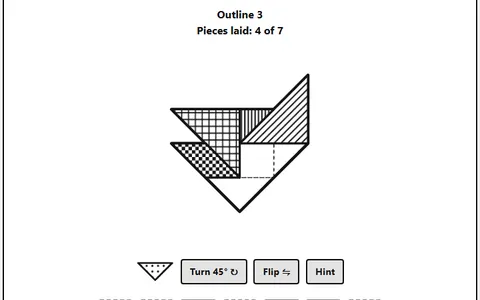 Tangram
Fitting shapes into an outline again, with seven geometric pieces you can rotate and flip.
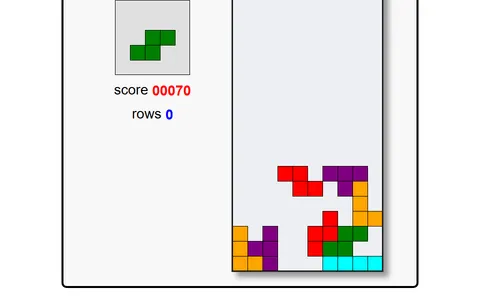 Block Drop
Four-square pieces under time pressure, sliding and turning them to complete rows as they fall.
Questions
Does Five-Square Tiling Puzzle remember my board if I reload?
Yes. The board you are working on is stored in your browser, so it comes back after a refresh. Private browsing or a data wipe for the site will erase it.
What does the Hint button do?
It points you toward a correct move. Depending on the board, it shows where a shape belongs or tells you which placed shape should come off.
Can I play it without dragging pieces?
Yes, the whole game works with single taps or clicks. You select, turn and place each shape in separate steps, which makes it comfortable on a touch screen or with a keyboard.
More like this: all puzzle games · every game A–Z