Pixel Sketch Studio
Pixel Sketch Studio is a lightweight drawing tool for making pixel art, one square at a time. Nothing is timed and nothing is scored. You get a blank grid, a few ready-made palettes and the basic tools needed to build sprites, icons or tiny scenes.
It can also make short animations by stacking frames and playing them on a loop, and it exports your work as a PNG. The editor began as PixelCraft by gitstq and opens straight in a browser tab, which suits a quick art break on a Chromebook.
How to play Pixel Sketch Studio
First choose a canvas size. Presets run from 8x8 up to 64x64, or you can enter any width and height from 4 to 128. Starting small makes each pixel easier to place.
Pick a color from the palette and sketch with the pencil. The bucket tool floods a connected patch of one color, the picker copies a color off the canvas and the eraser turns pixels white. Brush size goes from 1 to 8 pixels, and you can zoom in for detail work. There are five palettes, from a classic set to pastel, neon, earth tones and a retro green.
For animation, open the Frames panel. Plus adds an empty frame, copy duplicates the current one and minus removes it. Press Play to cycle through them at anywhere from 2 to 24 frames per second. The editor keeps up to 100 undo steps.
Controls
| Action | Keyboard | Mouse | Touch |
|---|---|---|---|
| Draw with the current tool | — | Click or drag on the canvas | Tap or drag with one finger |
| Pencil, eraser, fill, picker, move | P, E, G, I, V | Click a tool | Tap a tool |
| Main or second color | — | Click a swatch; right-click or Ctrl+click for the second | Tap a swatch |
| Swap the two colors | X | Swap button | — |
| Brush size | [ and ] | Brush Size slider | — |
| Zoom and pan | V, then drag | Scroll wheel; middle-drag to pan | Zoom buttons and the Move tool |
| Undo, redo, grid, export | Ctrl+Z, Ctrl+Y, B, Ctrl+S | Header buttons | — |
Tips
- Draw the outline before filling. The bucket spreads until it meets a different color, so a single gap in the outline lets the fill leak out.
- Make animations by duplicating a frame and changing only a few pixels. A blink or a small bounce looks smooth at around 4 to 8 frames per second.
- Put your outline color in the second slot. Pressing X flips between it and your main color without going back to the palette.
- Toggle the grid with B when you want to judge the picture as a whole, then switch it back on for careful edits.
- Export before you close the tab. The editor does not store your drawing, so a PNG download is the way to keep it.
If you like Pixel Sketch Studio, try these
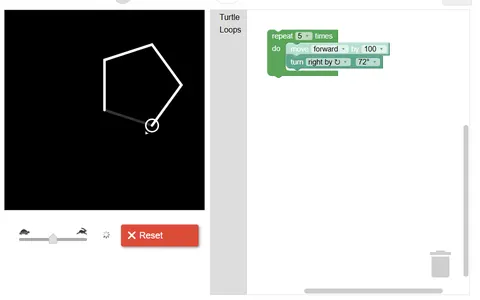 Block Code Turtle Art
Drawing with code instead of a brush, you steer a turtle that sketches lines into stars, squares and free designs.
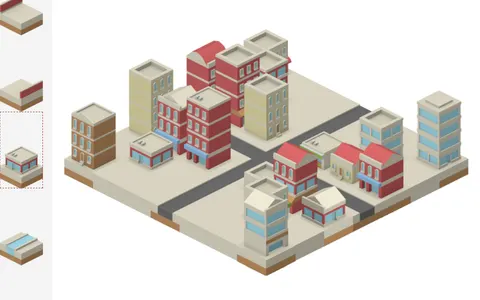 IsoCity
No goals, no timer, just building: this town toy offers the same calm, make-what-you-like feeling with isometric tiles.
Questions
Does Pixel Sketch Studio save my drawing?
No. Nothing is kept in the browser, so closing or reloading the page clears the canvas. Use the export button or Ctrl+S to download your art as a PNG first.
Can I export an animation from Pixel Sketch Studio?
You can export your frames together as a sprite sheet, a single PNG with every frame arranged in a grid. A single frame can be exported as a regular PNG.
Does Pixel Sketch Studio work on a tablet?
Mostly. You can draw with one finger, tap tools and swatches, and zoom with the on-screen buttons. A mouse is handier for the second color and for panning.
More like this: all casual games · every game A–Z