IsoCity
IsoCity is a calm sandbox where you design a small isometric town one square at a time. The map is a 7x7 patch of empty land, and the side palette offers over seventy pieces, including streets, canals, walls, stores and apartment blocks.
There is no money to manage, no traffic to fix and no score. You simply build what looks good to you. Victor Ribeiro wrote the open-source tool, and the bright tiles come from Kenney's free art library.
How to play IsoCity
Choose a tile from the palette at the side, then click a square on the map. The new piece replaces whatever was there. Hold the mouse button and drag to paint the same tile over a row of squares, which makes long roads quick.
The palette loosely groups its pieces. Straight roads, crosswalks and junctions come first, then curves and dead ends, then water channels and red walls. Buildings fill the bottom rows, from small corner shops to tall glass offices.
To undo a square, right-click it to clear it back to plain ground. On a touchscreen, pick the first plain ground tile in the palette and tap the square instead. A shaded diamond shows which square your next click will change.
Controls
| Action | Keyboard | Mouse | Touch |
|---|---|---|---|
| Choose a tile | — | Click it in the palette and scroll for more | Tap it in the palette |
| Place or paint | — | Click a square, or hold and drag | Tap a square |
| Clear a square | — | Right-click it | Select the plain ground tile and tap the square |
Tips
- Plan the road grid before anything else. Tall buildings hide the squares behind them and make streets harder to line up later.
- Put your tallest towers toward the back of the map. Pieces nearer the bottom of the screen are drawn on top and can cover what sits behind them.
- Road tiles each have a set direction. Look at the palette image to see which sides a piece opens on before you connect it.
- A strip of canal tiles makes a clean border for a park or a row of waterfront shops.
- To wipe a whole block fast, pick plain ground and drag across it in one stroke.
If you like IsoCity, try these
 Pixel Sketch Studio
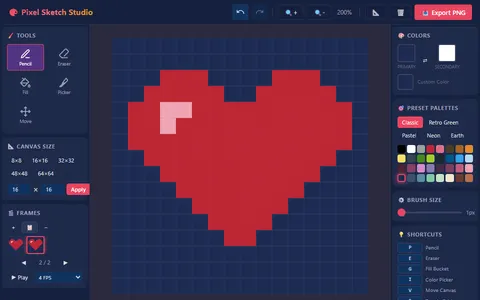
Building something just for the joy of it continues in this pixel art editor with palettes, fill tools and frame animation.
 Evolving Civilization
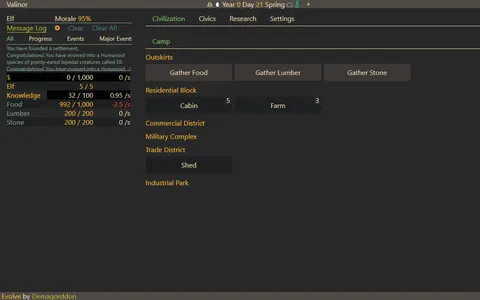
Watching a settlement grow is the draw here as well, but with jobs, research and resources to manage over a long idle run.
Questions
Can you win or lose in IsoCity?
No. It is a pure sandbox without money, population or time limits. Any goal, like a neat grid or a harbor district, is one you set yourself.
Does IsoCity save my town?
Yes. This copy saves your layout in your browser every time you place a tile, so it loads again on your next visit in the same browser. Clearing site data erases it.
Can I make the map bigger?
No. The grid is fixed at 7 by 7, giving you 49 squares. The small size keeps the whole town in view and makes rebuilding fast.
More like this: all strategy games · every game A–Z