Chess vs Computer
Chess vs Computer gives you the white pieces and a compact engine to play against. Make a move, give it a second, and Black replies. Checkmate is still the goal, with castling, en passant and every other standard rule in place.
The fun part is how much the engine shows you. After every reply it reports how many positions it looked at, how long it thought, and where it thinks the game stands. Nothing needs installing, so it runs in a plain browser tab on most laptops and Chromebooks.
How to play Chess vs Computer
You always move first as White. Drag a piece onto a square and release it. Illegal moves bounce back to where they started. On a computer with a mouse, hovering over a piece shades the squares it can reach.
Your most recent move is outlined in yellow and the engine's answer in blue. Under the board, a status line warns you about check and announces the result, whether that is checkmate, stalemate, a threefold repetition, the 50-move rule or too little material to mate.
The engine searches with minimax and alpha-beta pruning and judges positions by material and piece placement. Open Settings to set how deep Black searches, from 1 to 5, or to switch on a suggested move. You can also let the computer play both colors and simply watch.
Controls
| Action | Keyboard | Mouse | Touch |
|---|---|---|---|
| Move a piece | — | Drag it to the target square | Drag it to the target square |
| See legal squares | — | Hover over your piece | — |
| Take back a move pair | — | Click Undo | Tap Undo |
| Step forward again | — | Click Redo | Tap Redo |
| Engine depth and hints | — | Settings panel | Settings panel |
| Start from an opening or reset | — | Opening Positions buttons | Opening Positions buttons |
Tips
- Begin at depth 2. When you can beat it reliably, go to 3, and save 4 and 5 for when you want a real fight, since deeper searches take longer and blunder less.
- Keep an eye on the advantage bar. A sudden swing after your move usually means you left something undefended.
- Turn on the hint only when you are stuck, and treat it as advice rather than an order. Comparing its idea with yours is a quick way to learn.
- Load the Ruy Lopez, Italian Game or Sicilian Defense setups to skip the first moves and practice the middle game that grows out of them.
- Pawns that reach the last rank always become queens here, so check that a fresh queen will not leave Black with no legal move and a stalemate.
If you like Chess vs Computer, try these
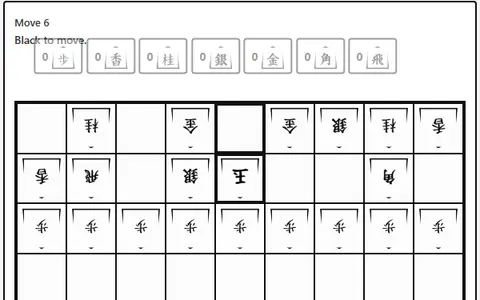 Shogi
Japanese chess adds drops, letting captured pieces come back onto the 9x9 board fighting for your side.
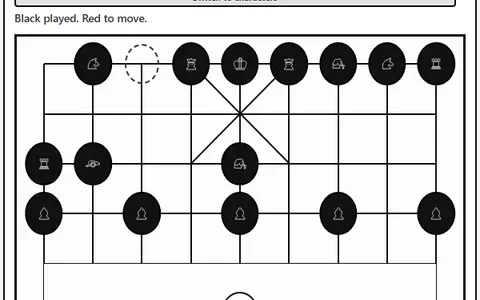 Xiangqi
Chinese chess brings a river, a palace and cannons that hop over pieces, played against a three-level computer.
Questions
How strong is the Chess vs Computer engine?
That depends on the depth you set. At 1 or 2 it misses simple tactics, while 4 and 5 look much further ahead and are tough for casual players.
Can I play as Black in Chess vs Computer?
No, you always play White and move first. You can, however, set the computer to play both sides and watch it play itself.
Does Chess vs Computer work on a phone?
It does, but the board is laid out for wider screens and pieces are moved by dragging, so a tablet or laptop is more comfortable. Turning a phone sideways helps.
More like this: all board & card games · Best GN Math games · every game A–Z