Strike Lane Bowling
Strike Lane Bowling turns your mouse into a bowling arm. The lane is shown from above with a ten-frame scorecard along the bottom, and every throw comes from a pull back and a quick flick forward. How you flick decides the speed, the angle and the curve of the ball.
After a strike or a completed frame, a 3D camera replays the roll from beside the lane. The game was made by isocialPractice with three.js and runs on a desktop browser with a keyboard and mouse.
How to play Strike Lane Bowling
Click the lane or press Enter to start. Your ball sits just behind the red line at the start of the lane, and sliding the mouse left or right moves it to your starting spot. Once lined up, hold Space. While still holding it, drag the mouse toward you so the power meter climbs, then push it up sharply to release.
A quicker flick gives a quicker ball, and a fuller meter makes that flick stronger. Any sideways movement during the flick tilts the path and puts spin on the ball, which bends it across the lane. Touching either edge drops it into the gutter.
Scores use standard ten-pin rules. A strike counts 10 plus your next two rolls, and a spare counts 10 plus your next roll. Knocked-down pins are cleared before your second ball. The tenth frame gives bonus rolls for a strike or spare, and a perfect game is 300.
Controls
| Action | Keyboard | Mouse | Touch |
|---|---|---|---|
| Start or restart | Enter | Click the lane | — |
| Position the ball | — | Move left or right before charging | — |
| Charge power | Hold Space | Drag down while holding Space | — |
| Release with angle and hook | Keep holding Space | Flick up quickly; move sideways to curve | — |
| Cancel a charged throw | Esc, or release Space | — | — |
| Replays on or off | — | Turn Animation switch | — |
Tips
- Fill the meter close to 100 percent before every throw. A fast flick on a weak charge still rolls a slow ball.
- Make the upward flick one quick motion. The throw fires the instant your hand starts upward, so a lazy drift throws away the power you built.
- Learn a straight shot from the center first. Once you can hit the front pin every time, start adding a small hook.
- If your flick drifts right, start a little left of center so the curve brings the ball back into the pocket. Do the opposite for a leftward hook.
- For a single leftover pin, line the ball up with it and flick straight. Spin is more likely to pull the ball off line than help.
- Turn off Turn Animation when you just want to practice. You skip the replays and can throw again right away.
If you like Strike Lane Bowling, try these
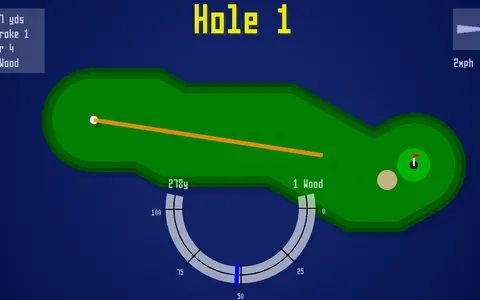 Coding Golf
Controlling power and angle on each shot transfers to golf, with wind and a three-press swing meter.
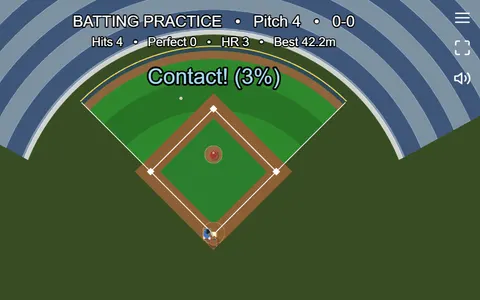 Backyard Slugger
Quick sports fun built on one well-timed motion continues, swinging at pitches in a tiny ballpark.
Questions
How is a strike scored in Strike Lane Bowling?
A strike is worth 10 pins plus whatever you knock down with your next two balls. The scorecard fills these in for you as you bowl.
Can you play Strike Lane Bowling on a tablet?
It is designed for a mouse and keyboard and does not offer touch controls. A laptop or desktop works best.
How do you curve the ball in Strike Lane Bowling?
Move the mouse sideways while you flick it upward. That side-to-side motion changes the starting direction and adds spin, so the ball hooks on its way down the lane.
More like this: all sports games · every game A–Z