Pocket Pool
Pocket Pool is billiards with no opponent. You break a rack of fifteen numbered balls on a six-pocket table and try to sink every one using as few shots as possible. Your only rival is the best count you set on an earlier rack.
The physics come from Box2D running inside Frank Force's LittleJS engine, so balls spread, spin and rebound off the cushions in a natural way. You can play it on a laptop or a phone, right in your browser.
How to play Pocket Pool
After you press Play, the cue ball sits on the head string with the triangle of balls racked at the opposite end. Counters across the top show your shots so far, your best and the balls still on the table.
With a mouse, point where you want the cue ball to go, and move farther from it for more power, then click. On a touch screen, press and pull back behind the cue ball, then let go. A dotted arrow shows strength and direction, a power percentage appears at the bottom, and a thin red line continues straight ahead. That line ignores rebounds, so angles off the rails are up to you.
Sinking the cue ball is a scratch. When the table settles, you place it by hand anywhere that is clear of the rails, pockets and other balls. Pot the last numbered ball to clear the table, and a new record is shown if you beat your old one.
Controls
| Action | Keyboard | Mouse | Touch |
|---|---|---|---|
| Aim and set power | — | Point where the cue ball should go; farther away is stronger | Press and pull back behind the cue ball |
| Shoot | — | Left click | Lift your finger |
| Adjust power finely | — | Scroll wheel | — |
| Speed up rolling balls | — | Hold the right button | — |
| Place the cue ball after a scratch | — | Move and click | Drag and lift |
| New rack | R | Menu, then New Rack | Menu, then New Rack |
| Pause | Esc | Menu icon | Menu icon |
Tips
- Break at full power. A strong break scatters the pack and often drops a ball or two for free, which lowers your count right away.
- Tap balls that are hanging in a pocket mouth softly. A light touch sinks them without dragging the cue ball in afterward.
- Think one shot ahead. Balls lose speed quickly once they are crawling, so picture the resting spot of the cue ball before each shot.
- Treat a scratch as a free setup. With ball in hand, place the cue ball for the straightest, shortest pot you can find.
- Use the scroll wheel for delicate shots near the cushions. Scrolling up adds a little power and scrolling down takes some away.
If you like Pocket Pool, try these
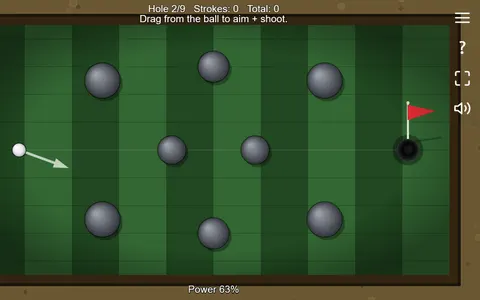 Mini Putt Park
Lining up angles off walls and bumpers feels much like banking billiard shots, spread across nine handmade putting holes.
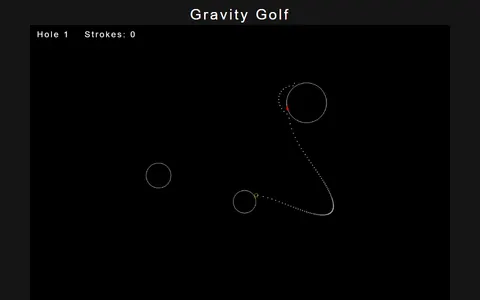 Gravity Golf
Shot counts matter here too, but planets bend each putt, so you read gravity the way you read cushions.
Questions
Is Pocket Pool two player?
No. It is a single-player challenge with no turns. You clear the rack on your own and try to need fewer shots each time.
Does Pocket Pool save my best score?
Yes. Your lowest shot count for clearing the table is stored in your browser and shown above the Play button.
Can I play Pocket Pool on a phone?
Yes. Drag back behind the cue ball to aim and set power, then lift your finger to shoot. After a scratch, drag the cue ball to a clear spot and let go.
More like this: all sports games · every game A–Z