Backspace: Return to Figadore
Backspace: Return to Figadore turns the usual space shooter on its head, because every missile you fire is a cure. You fly low over the rolling green hills of planet Figadore, where a sickness is hopping between alien ships. Hit a red ship and it turns gray and healthy again.
Jasper Renow-Clarke made this for the js13k contest in 2019 and wrote his own tiny 3D engine for it, which draws each frame out of SVG lines and shapes. A school laptop with a keyboard is enough, since the game opens straight from the page.
How to play Backspace: Return to Figadore
Tap any key on the title screen to take off. Your ship keeps moving forward by itself, so your job is to steer, change speed and shoot. Turning makes the ship bank into the curve, while moving the mouse left or right shifts you sideways with no change of heading.
About half of each fleet starts out sick. For the first few seconds nothing spreads, but after that a red ship that gets near a gray one infects it. Healthy ships try to flee from the sick ones. Fire a spinning missile straight ahead, and if it passes close to a red ship, that ship is healed and you score a point.
Heal every red ship to move on. Each new stage brings five more ships than the last, ending with 25 on the fifth stage, and the healing blast gets smaller as you go. If the whole fleet turns red, the mission fails and you begin again from the first stage.
Controls
| Action | Keyboard | Mouse | Touch |
|---|---|---|---|
| Start, or go back to the title | Any key | — | — |
| Turn left / right | Left / Right arrows, A / D, or Z / X | — | — |
| Go faster | Up arrow, W, or ; | — | — |
| Slow down | Down arrow, S, or . | — | — |
| Fire a healing missile | Space or Enter | — | — |
| Strafe sideways | — | Move the mouse left or right | — |
Tips
- Use the quiet opening seconds of each stage to heal the closest red ships, since the sickness cannot spread yet.
- Pick targets that sit next to gray ships first. One sick ship in a cluster can flip several healthy ones in moments.
- Strafe with the mouse to line up a shot without turning, then press Space once the target is dead ahead.
- Only five missiles can be out at once and each one fades after a few seconds, so fire short bursts instead of holding the key.
- Keep an eye on the bar at the right edge. If its red part keeps growing, stop chasing distant ships and work on the nearest ones.
If you like Backspace: Return to Figadore, try these
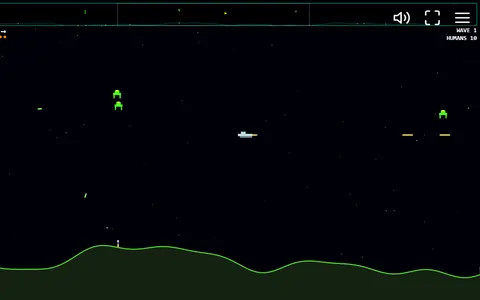 Planet Protector
For more flying and rescuing, patrol a looping planet, shoot alien landers and catch the humans they let fall.
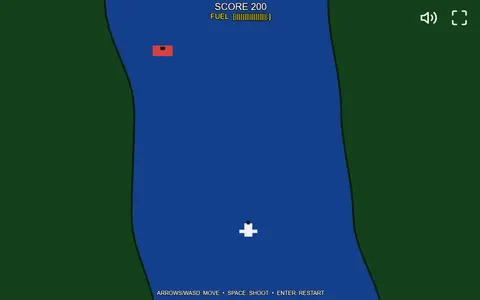 River Strike
Fuel matters in this jet game, where you keep your plane over the river and shoot whatever blocks the channel.
Questions
How many levels does Backspace: Return to Figadore have?
There are five. The first has five alien ships and each later one adds five more, and clearing the fifth saves the planet.
Why did my ship suddenly jump back to the center?
The flying area has a border. Go too far in any direction and the game places you back in the middle so you can find the fleet again.
Can I play Backspace: Return to Figadore with only a mouse?
No. The mouse just slides the ship sideways. Steering, speed and firing all use keys, so you need a keyboard.
More like this: all action games · every game A–Z